Try not
to laugh12:08
to laugh12:08
HiddenRemoving · Comedy & memes 94%
FeedKeeper quietly removes the kinds of videos you don't want from your home feed and "Up next" recommendations. You pick the categories. AI does the sorting.
Not on the Chrome Web Store yet. Installs from a zip in about a minute.
Feed tidied. 4 videos removed with “Not interested”. Everything worth watching stayed.
 FeedKeeper 6 scored · 4 would filter4 hidden4 removed
Made-up videos and channels. Try the modes, or press Show.
YouTube's feed learns from every late-night click, and "just one video" turns into an hour. Blocking YouTube outright also blocks the lectures, tutorials and news you came for. FeedKeeper keeps YouTube and filters the feed.
Choose what you don't want, like Comedy & memes or Challenges, pranks & stunts. Each one has a written definition you can edit, or add your own.
As videos appear, the title, description, chapters and tags go to the AI, which answers each category as a probability. Scores are cached for 14 days.
Depending on your mode, matches are outlined, blurred behind a Show button, or removed with Not interested. The good stuff stays exactly where it was.
Preview and Hide never click anything on YouTube. Auto remove is opt-in.
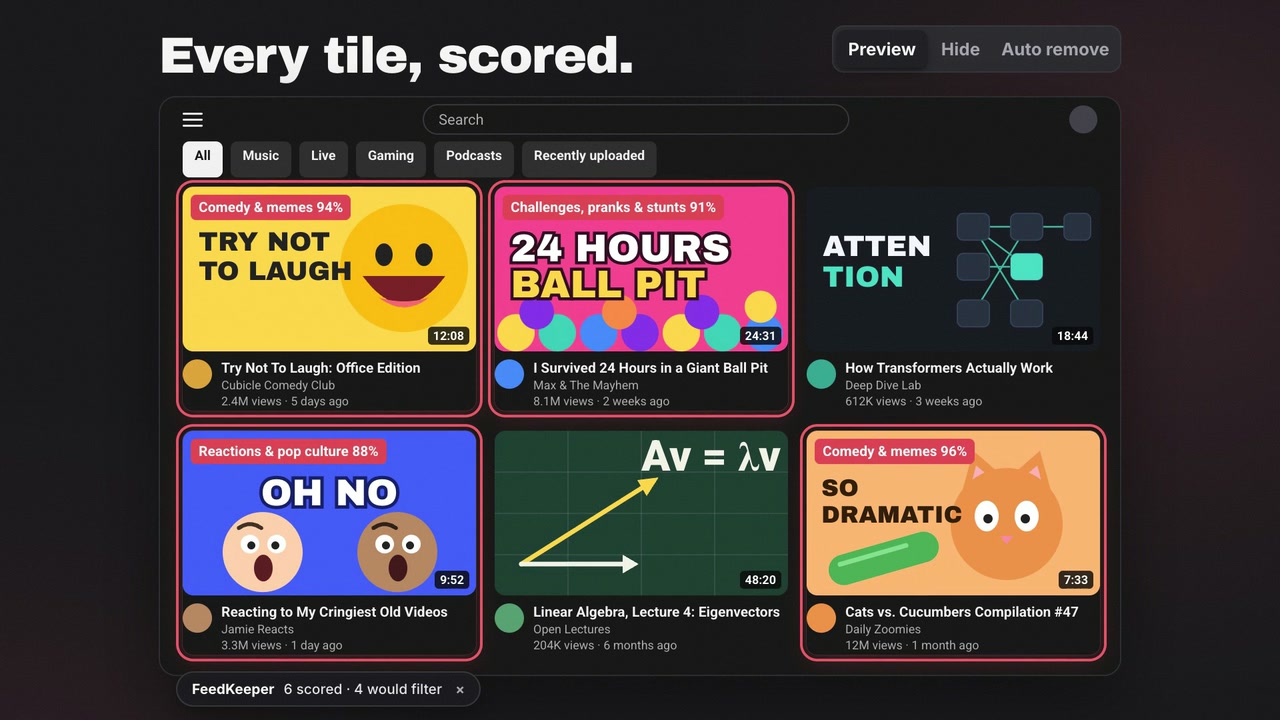
Red outline and a compact decision badge on every match. Nothing is hidden or clicked. Choose Why? to see the full category distribution.
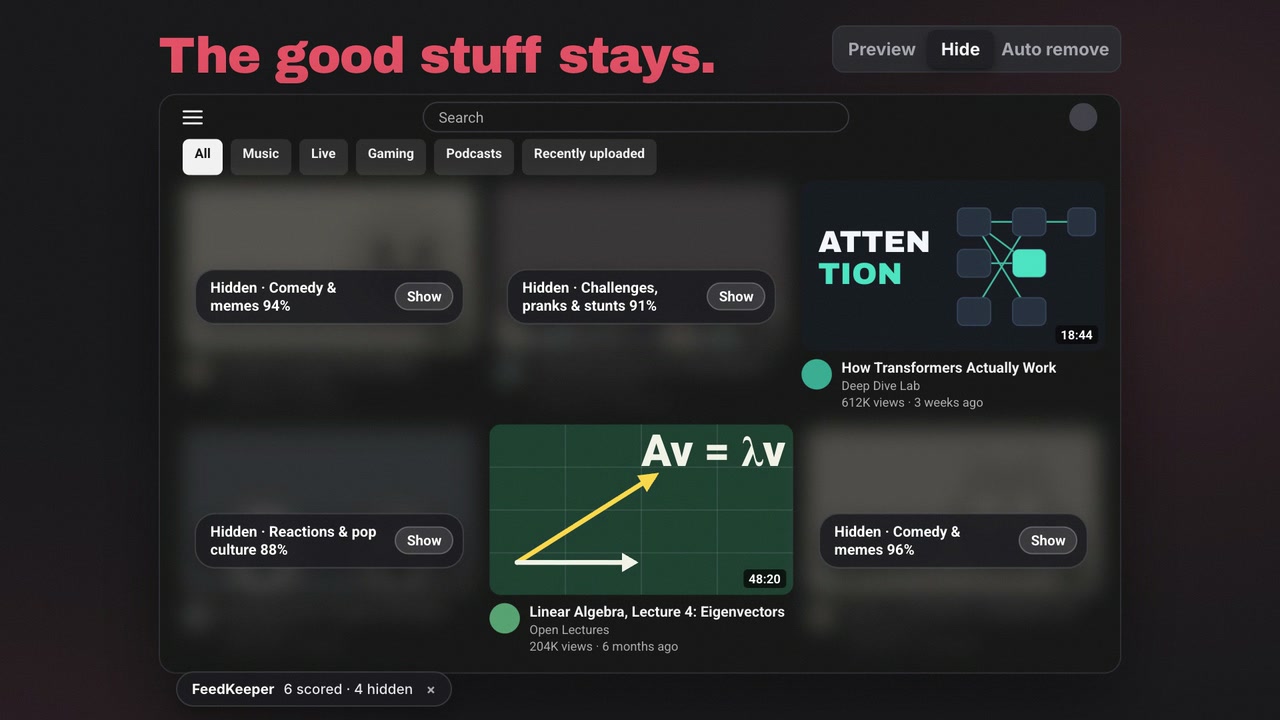
Matches blur behind a Show button. Nothing is sent to YouTube, so your recommendations don't change. The videos worth watching stay untouched.
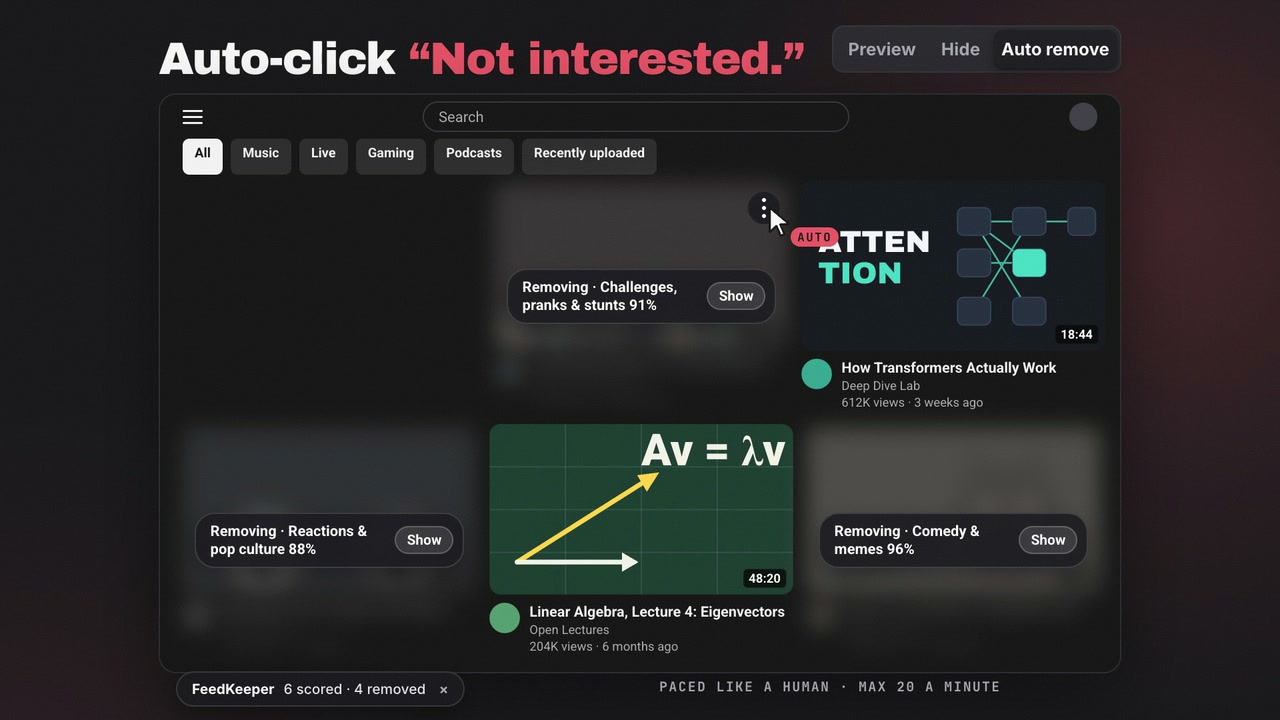
Hides, then clicks ⋮ → Not interested for you, 1.5–4 s apart, at most 20 a minute and 100 per page load. YouTube learns from those clicks.
Hides every Short on YouTube: shelves, feeds, search and the Shorts menu entry. No AI calls, no cost.
The description, chapters, tags and YouTube's own category are used too, with sponsor text and links removed first. Combined matching catches videos whose confidence is split across overlapping categories.
Four groups built in. Add a custom category with a name and a one-line definition, and that definition becomes the question the AI answers.
Block the categories you pick, or use Only show selected for a focused feed. Sensitivity is yours to tune.
Hover a video and choose Why? to inspect its full category distribution, then correct the call for that video or channel.
Reusable filter profiles, temporary focus sessions, and separate controls for the home feed and the sidebar.
Allow or block channels and add free local title rules. They run before any paid classification.
Normal scanning asks only about the categories you selected. Full distributions are requested only when you inspect a video.
The video loads from YouTube only when you press play. Watch it on YouTube
sorts roughly 100,000 videos.
In Hide mode. A rough estimate; your mileage depends on how much you scroll.FeedKeeper isn't in the Chrome Web Store yet, so you load it once as an unpacked extension.
Grab the Chrome .zip from the latest release and unzip it.
Open chrome://extensions, turn on Developer mode, click Load unpacked and pick the folder.
Get an API key at openrouter.ai/keys, add a few dollars, then paste it in the popup and Save.
Preview mode is on by default. Pick your categories and watch the scores appear.
Built and tested in Chrome. Edge, Brave and Arc should work too; community testing welcome. Firefox and Safari aren't supported yet.
FeedKeeper has no server, no analytics SDK and no runtime package dependencies. Your key stays in the extension.
Every AI request is made by the background worker. The YouTube page never receives your API key.
Local extension storage, and network access to openrouter.ai. That is the whole permission list.
MIT licensed and small enough to audit. See the architecture and trust boundaries and the privacy policy.
Auto remove clicks the same Not interested button you would, spaced 1.5–4 seconds apart and capped per minute and per page. Preview and Hide never click anything.
There's no FeedKeeper server, so no one else sees your feed and nothing ever needs a subscription. You pay OpenRouter directly, usually a few cents a month.
Open the popup, check the category's definition, and make it more specific, or add a custom category. Use Why? on a video to see its full distribution. If a built-in definition is off, please open an issue with the video link.
Chrome is supported and tested. Edge, Brave and Arc are expected to work. Firefox and Safari aren't supported yet.
No. FeedKeeper isn't affiliated with or endorsed by YouTube or Google.